This article is originally written in English; the interface is localized, but the article body remains in its original English.
L’Oréal Paris Virtual Try-On Hair Color vs. an AI Full-Look Preview
If you searched for l'oreal paris virtual try on hair color, you are probably trying to answer a sensible question before committing to dye: “Will this shade actually work on me?” L’Oréal Paris offers a polished answer for shoppers exploring its hair-color range. Its official U.S. tool lets you use a live camera or upload a selfie, choose a color family, browse shades, and compare before and after. The same page says that it offers more than 200 colors and provides recommendations based on your current hair color. Those are L’Oréal Paris’s published product claims, not independent accuracy measurements.
But color is often only half the decision. You may be picturing copper with a shorter bob, a cool brunette with curtain bangs, or an ombré that follows the length of a specific cut. That is where AIHairStyleChanger.AI takes a different path: it starts with your uploaded photo and lets you explore a full hair direction—cut, length, texture, solid color, gradient, and even a hairstyle reference—rather than selecting a retail dye shade.
See the whole look, not only the shade
Try a color and haircut on your own photo
Upload one clear portrait, then compare the color ideas you like with the haircut and texture you actually want.
Create my full hair previewWhat the L’Oréal Paris Tool Does Well
The official L’Oréal Paris Virtual Hair Color Try-On page is purpose-built for a shopper who wants to explore a color family and move toward a purchasable L’Oréal Paris shade. It supports both a live-camera view and a selfie upload, then takes the user through color selection, shade browsing, and a before-and-after comparison. If you already know you want an at-home color product and your main task is narrowing a brand’s shade catalogue, that product-linked workflow is useful.
You may also see the search written as l oréal paris virtual hair color try on. The spelling changes, but the intent is usually the same: test a hair-color product visually before buying it. For that narrow job, a live AR preview can be especially convenient because you can move between shades without making a new image each time.
It is important to keep the scope clear. L’Oréal Paris’s U.S. page presents a color simulator tied to its own shade exploration; it is not positioned there as an open-ended haircut simulator or a tool for recreating any reference hairstyle. Catalogue size and availability can also vary by country: L’Oréal Paris’s UK virtual-tools page describes a separate market experience. Always check the official page for the products available where you live.
Where AIHairStyleChanger.AI Gives You More Room to Explore
AIHairStyleChanger.AI is designed for the question that comes before product selection: “What complete hair look do I want?” Instead of being limited to a brand’s dye SKU list, you can test a color while changing the shape around your face. The current catalogue includes more than 100 curated hairstyle options across women’s and men’s looks, plus 30+ color choices, so you can compare a blunt bob against long layers, a fade against a textured crop, or a curly look against a sleek one before deciding whether a shade is still right for you.
That flexibility is the central difference. A retail-shade try-on helps you evaluate a particular dye direction. An AI full-look preview helps you decide whether you want a different color and a different style, length, texture, or silhouette. It is the better fit when the haircut is part of the mood board—not an afterthought.
| What you want to decide | L’Oréal Paris Virtual Try-On | AIHairStyleChanger.AI |
|---|---|---|
| Try a live camera view | Yes, according to its U.S. tool page. | No live-camera mode; previews begin with an uploaded photo. |
| Browse a brand’s retail color shades | Yes—this is a core use case. | No—this is not a dye-product catalogue or formula matcher. |
| Change haircut, length, or texture with color | Not the primary purpose of the color tool. | Yes—explore the haircut and color as one look. |
| Try a root-to-tip ombré idea | Depends on the offered shades and local product selection. | Yes—choose a two-color root-to-tip gradient and adjust the transition. |
| Use your own hairstyle inspiration image | Not presented as a core feature on the U.S. color-tool page. | Yes—upload a reference hairstyle image to guide cut, length, and texture. |
| Best starting point | Choosing among L’Oréal Paris color products. | Exploring a complete new look before a salon or color decision. |
Comparison checked October 18, 2026, against L’Oréal Paris’s public U.S. tool page. Features, shade availability, and rendering behavior can change. L’Oréal Paris is a trademark of its owner; this independent comparison is not sponsored by or affiliated with L’Oréal Paris.
Want more than a shade swatch?
Preview the complete direction first
Mix the color idea with the bob, layers, curls, bangs, fade, or long style you are considering.
Try a color + cut togetherWhy Gradient Color Changes the Comparison
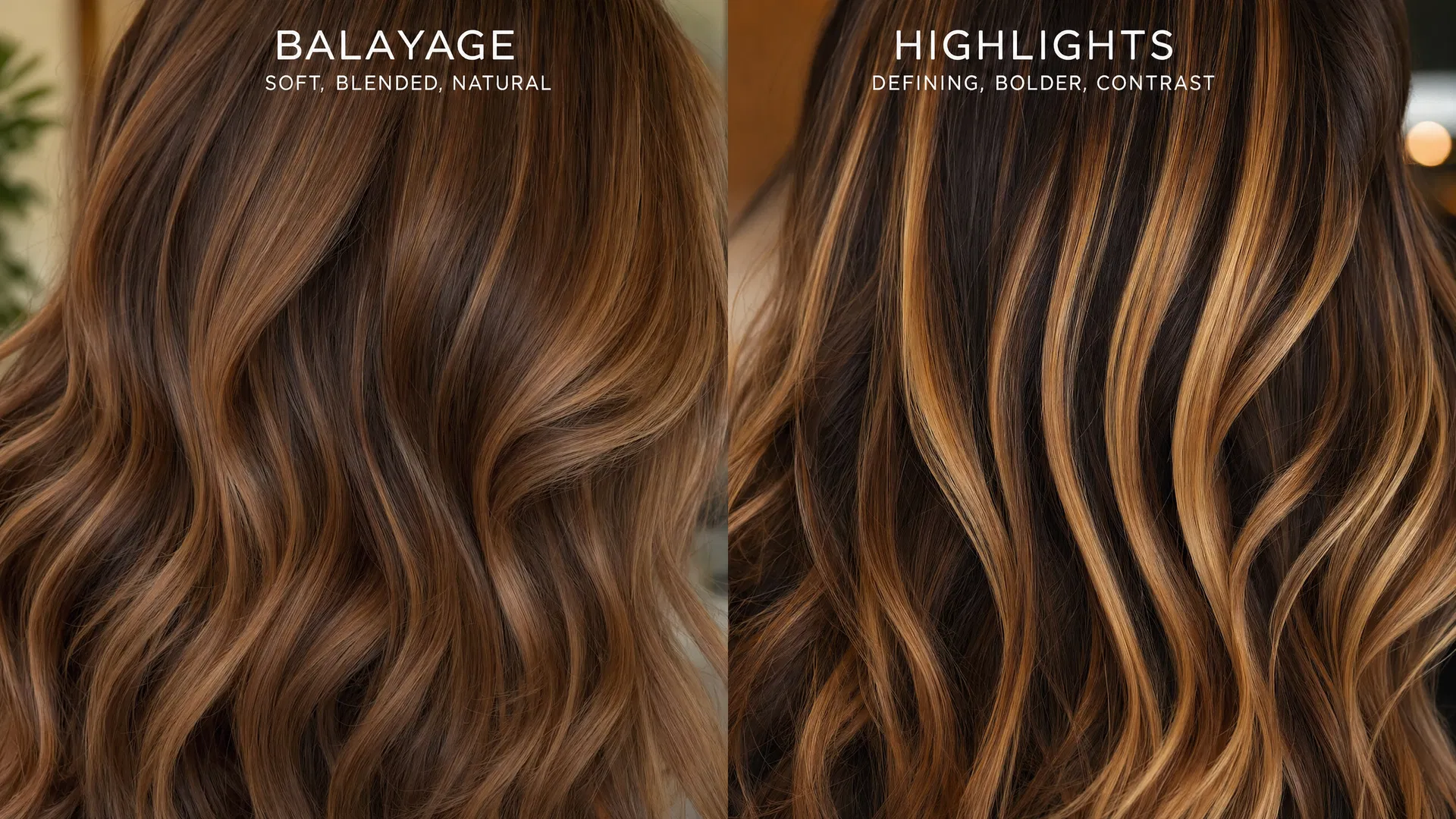
Many color decisions are not truly “blonde or brunette.” They are about placement: dark roots melting into caramel ends, copper moving through a brunette base, or a bold color that softens toward the tips. A uniform shade preview can help with the overall family, but it cannot answer every placement question.
On AIHairStyleChanger.AI, the gradient control is a root-to-tip ombré preview. You choose the root color, tip color, and a smooth blend zone, then pair that gradient with the haircut you are testing. This makes it easier to compare, for example, long waves with a subtle brunette-to-caramel melt versus a short lob with a more visible copper transition. It is a visual planning tool, not a salon formula; use the final images to explain the direction you like to a colorist.
For background on how color placement differs, read our balayage vs. highlights guide. If your priority is simply finding shades that complement your complexion, our hair-color-by-skin-tone guide is a useful companion.
Planning an ombré or color melt?
Build the gradient you want to show your colorist
Choose roots, ends, and transition on the same photo before you make a real-color appointment.
Try a root-to-tip gradientBring Your Own Hairstyle Reference, Then Test the Color
A common limitation of any fixed style menu is that the image in your head may be more specific than a label such as “long layers” or “French bob.” With AIHairStyleChanger.AI, you can upload a hairstyle reference image and use it to guide the cut, length, and texture of your preview. You can keep your own hair color, follow the reference’s color, or override it with a selected solid color or gradient.
This is particularly useful when you have saved a salon inspiration photo and want to know whether its general shape works on your face before discussing it with a professional. It also makes the tool a stronger choice for someone who is comparing whole looks rather than shopping a single boxed-color shade.
Have a saved inspiration photo?
Test that hairstyle idea on your own portrait
Use a reference image for the cut and texture, then test the color direction separately.
Upload a hairstyle referenceWhich Tool Should You Choose?
The practical answer is not that one tool wins every situation. Choose L’Oréal Paris’s virtual hair-color tool if you want a live or selfie-based preview while comparing its own color products and shade families. Choose AIHairStyleChanger.AI if you want to explore the broader creative decision: a new color together with a new cut, length, texture, gradient, or reference-inspired style.
For many people, the most useful sequence is to start broad and finish specific. First, use a full-look preview to find a few combinations that feel like you. Then take those saved images to your stylist or use them as a visual brief while you compare real products and professional advice. You will arrive with clearer questions than “Do you think blonde suits me?”—for example, “Can we create this soft copper-to-caramel transition on a shoulder-length layered cut while keeping the dimension near my face?”
Want more practical detail on using a generated preview in a consultation? See how to show an AI hairstyle photo to your hairstylist.
A Virtual Preview Is Not a Dye Guarantee
Both kinds of virtual try-on are for visualization. Your real result will depend on your current color, porosity, prior chemical services, hair condition, lighting, the formula, and the hands applying it. L’Oréal Paris itself notes that results can vary by hair color and condition. Before using any hair-color product, follow its directions and consult a professional when you are planning a major correction or lightening service.
For at-home coloring, safety matters as much as the preview. The U.S. Food and Drug Administration’s hair-dye guidance says to follow the label and perform a skin test before each use. A beautiful virtual result should help you communicate your goal—not persuade you to skip those steps.
Make a better color brief
Save a few directions before you commit
Explore a subtle option, a bolder option, and a different haircut so your next conversation starts with clear visuals.
Explore my next hair colorTry the Full-Look Alternative
If a color is only one piece of the change you are considering, start with your own photo. Test the shade, then test the shape around it. Try a safe option and a bold option. Compare a solid color with a gradient. If you have a saved inspiration image, use it as a guide. That is the advantage of a flexible AI hairstyle changer: you can make the visual decision before you make the irreversible one.
Your next look starts with one photo
See your color, cut, and style together
Upload a clear portrait and explore the full look before booking the appointment or buying the color.
Upload my photo and start